Peer Johannsen was given the opportunity to examine a collection of disks from the golden era of the Vectrex. One thing that caught his eye—and has always been a mystery to Vectrex fans—was BASIC.
Back in the day, there were advertisements for a computer add-on for the Vectrex that supposedly turned it into a computer capable of running BASIC.
No, you will not find any new information about that here.
What Peer actually discovered was a set of routines that were probably an early experiment in displaying large amounts of text on the screen—exactly the kind of display needed for a BASIC editor running on the Vectrex.
The following screenshot shows this demo program displaying 6 × 40 characters.
That may not sound extraordinary, but it is.
There are two remarkable things about it:
a) The text is not slanted.
b) The text is displayed in only about 45,000 CPU cycles.
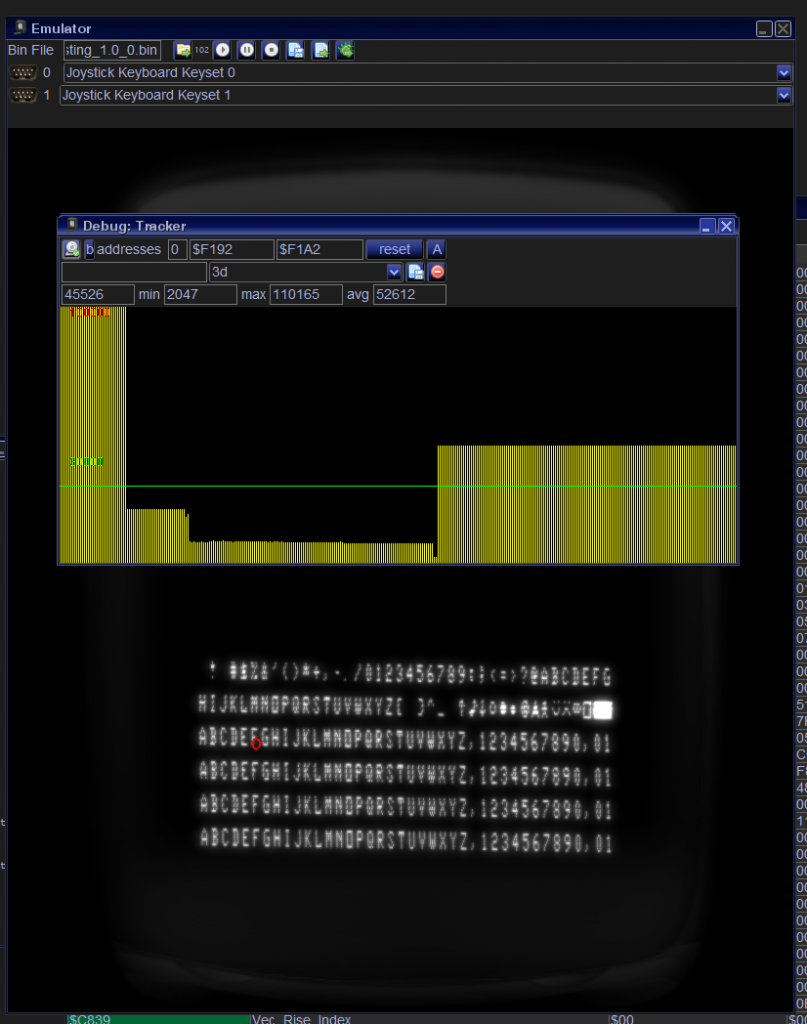
To appreciate the output – look at the following screenshot:
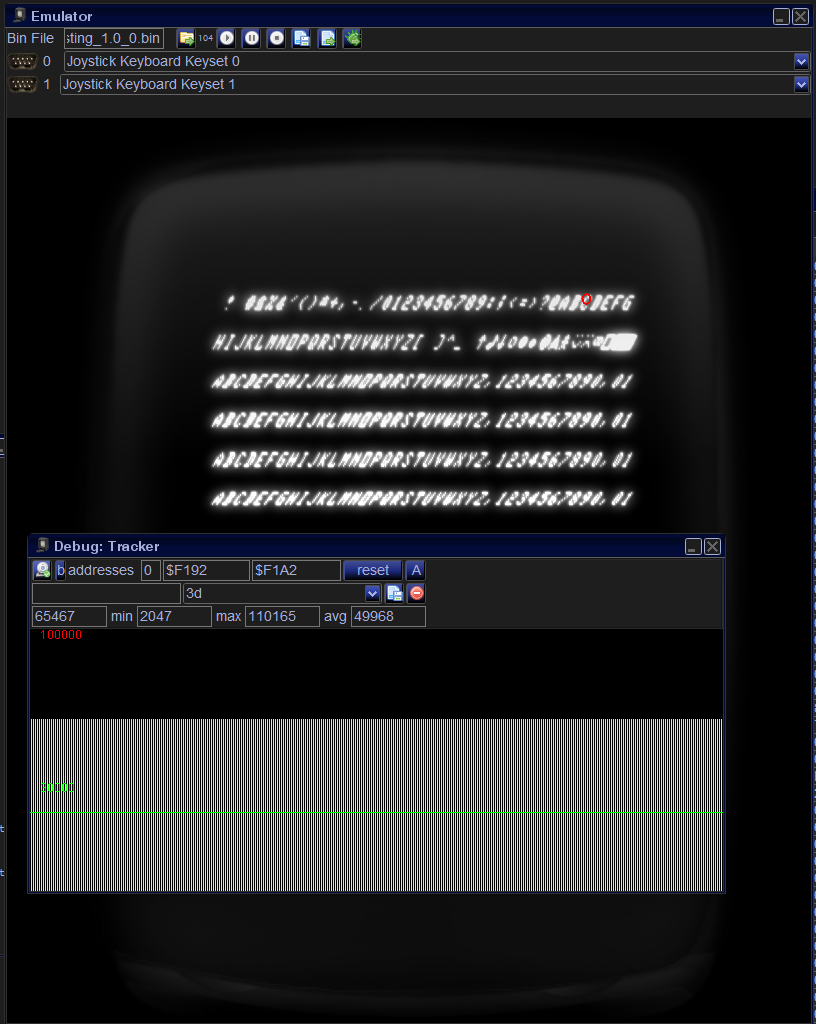
This version uses the standard BIOS text routines. As you can see, the text is slanted—and it takes about 20,000 more cycles to display!
But that is only the visible difference.
What Peer discovered while analyzing the source code was how these routines are faster, and why the text is not slanted.
Why the text is not slanted
The text is not slanted because it is drawn in a way similar to my printStr_sync routines. Each line is rendered independently. In other words, the beam is reset to zero between lines and then moved to the beginning of the next line.
Why the routines are faster
My printStr_sync routines produce nice-looking text, but they are slower. So why are these old routines faster?
Here comes the really interesting part.
The move operation itself is faster.
Yes, you read that correctly. Gerry moves the beam much faster—faster than even a strength value of 127.
He was able to do this because he knew how the Vectrex really worked, unlike the rest of us who have been programming the machine for more than 40 years. The original programmers were—and, in many ways, still are—more knowledgeable about the hardware than the Vectrex programming community as a whole.
I will not show the code here because I do not know whether I am allowed to publish code from these old treasures. I can, however, explain the basic idea.
The trick lies in the integrator offsets.
Those tiny offsets.
Kristof Tuts discovered how they could be used to compensate for drift in large vector lists. What none of us realized, however, was that the integrator offsets actually have two effects.
1. The offset is added during every integration step
One or two years ago, I tried to speed up beam movement using this well-known feature. My idea was simple: if I moved with a strength of 127 and added another 127 through the integrator offset, perhaps I could effectively move at twice the speed.
Whether that idea was fundamentally wrong, I still do not know. What I do know is that I never managed to make it work the way I wanted. For me, it turned into a dead end.
This first feature is still the one we now use to calibrate some games, following Kristof Tuts’ approach.
2. The newly discovered feature: ZERO
This is the previously unknown feature.
The integrator offset also determines the ZERO point of the Vectrex coordinate system.
Normally, the integrator offset is 0.
When you enable the ZERO signal—the one that grounds the integrators—the beam moves very quickly to the current zero point.
With the offset set to zero, that point is the center of the screen.
If you set the integrator offset to $50, the zero point moves to the bottom-left corner.
(The offset has the opposite sign of the integrators. Integrating with $50 moves you toward the upper-right corner. Setting the offset to $50 moves the zero point to the lower-left corner.)
If you look at the screenshots above, the bottom-left A starts with an integrator offset of $50.
The beam does not reach that position by performing a normal move from (0,0). Instead, it simply enables ZERO. Since ZEROing takes only a handful of cycles, the beam reaches the corner almost instantly.
From that bottom-left corner, each text line still requires a normal move to its starting position. However, the long move to the corner is eliminated entirely. With this many lines of text, that saves roughly 20,000 cycles.
Notes
There is only a single integrator offset, so the zero point can only move along the diagonal from the lower-left corner to the upper-right corner.
The integrator offset and the integrator strength cancel each other out because they have opposite signs. For example, if the offset is $50 and both integrators are also set to $50, the beam does not move. To move upward from that position, the Y integrator must be set to a value greater than $50. For example, setting it to $70 results in an effective strength of $20.
Contrary to what I previously believed, the integrator offset is applied only while the RAMP signal is active. In other words, the offset affects the beam only when the integrators are actually enabled.
The latest version of VIDE (released today) supports these newly discovered features.
Great discovery! So you move the screen centre point to the bottom left and then draw like you’re in a single quadrant. I’m not sure how useful that is for a specific game, but makes perfect sense for aligning long rows of text. I wonder if YASI uses this technique?
Wow Not only more new knowledge. But also an integration into VIDE too. Thanks Malban!